Company/Office Brochures
- Company Profile Brochures
- Company/Office Profile Brochures (Covers) for Kyocera Corporation
- Company/Office Profile Brochures
(Back Covers - Page 4) for Kyocera Corporation - Company/Office Profile Brochures (Covers) for Group Companies
- Company/Office Profile Brochures
(Back Covers - Page 4) for Group Companies
Company Profile Brochures
Company/Office Profile Brochure: Template (ai)
Company/Office Profile Brochures (Covers) for Kyocera Corporation
Kyocera Corporation company and office profile brochures are tools for communicating information about the entire Kyocera Group to external audiences.
The brand symbol is used in combination with but separate from text and other elements.
Please display the brand symbol in accordance with the specifications below.
Display Guidelines(for A4 size: H297 × W210 mm)
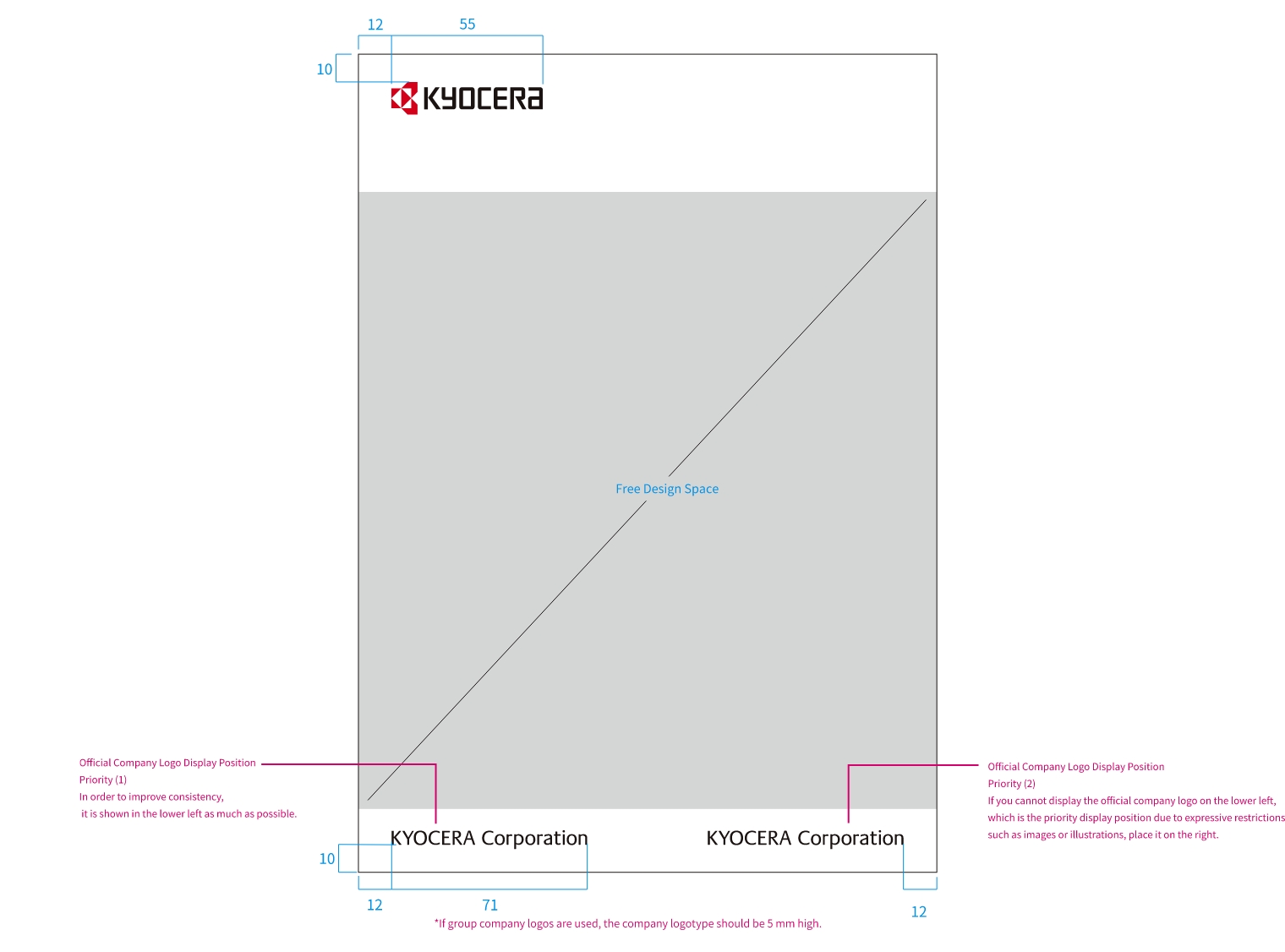
When displaying the company name logo, place it in Priority Position (1) to ensure consistency across publications.
If it cannot be displayed in this position due to the background or other factors, place it in Priority Position (2).
Company/Office Profile Brochures
(Back Covers ‒ Page 4) for Kyocera Corporation
Place all information such as the brand symbol, company name logo, and address in the lower left. In principle, place the production date, copyright notice, and various certification marks in the lower right, separated from the corporate brand display area.
Display Guidelines(values in parentheses are based on A4 size: H297 × W210 mm)
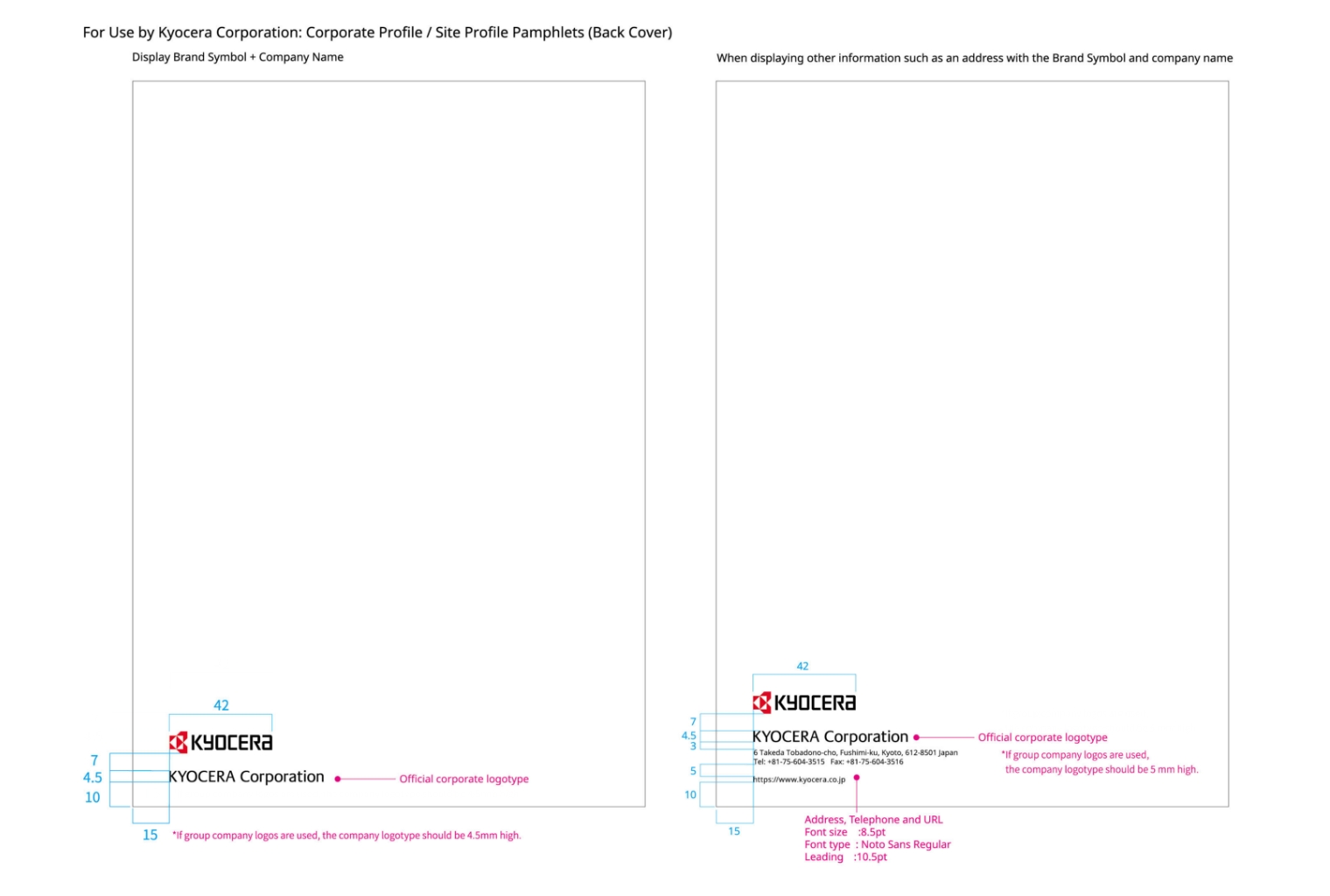
Please display in accordance with the specifications below.
Display Guidelines(for A4 size: H297 × W210 mm)
Company/Office Profile Brochures (Covers)
for Group Companies
Group company profile brochures use the brand symbol alone.
Please display the brand symbol in accordance with the specifications below.
Display Guidelines(for A4 size: H297 × W210 mm)
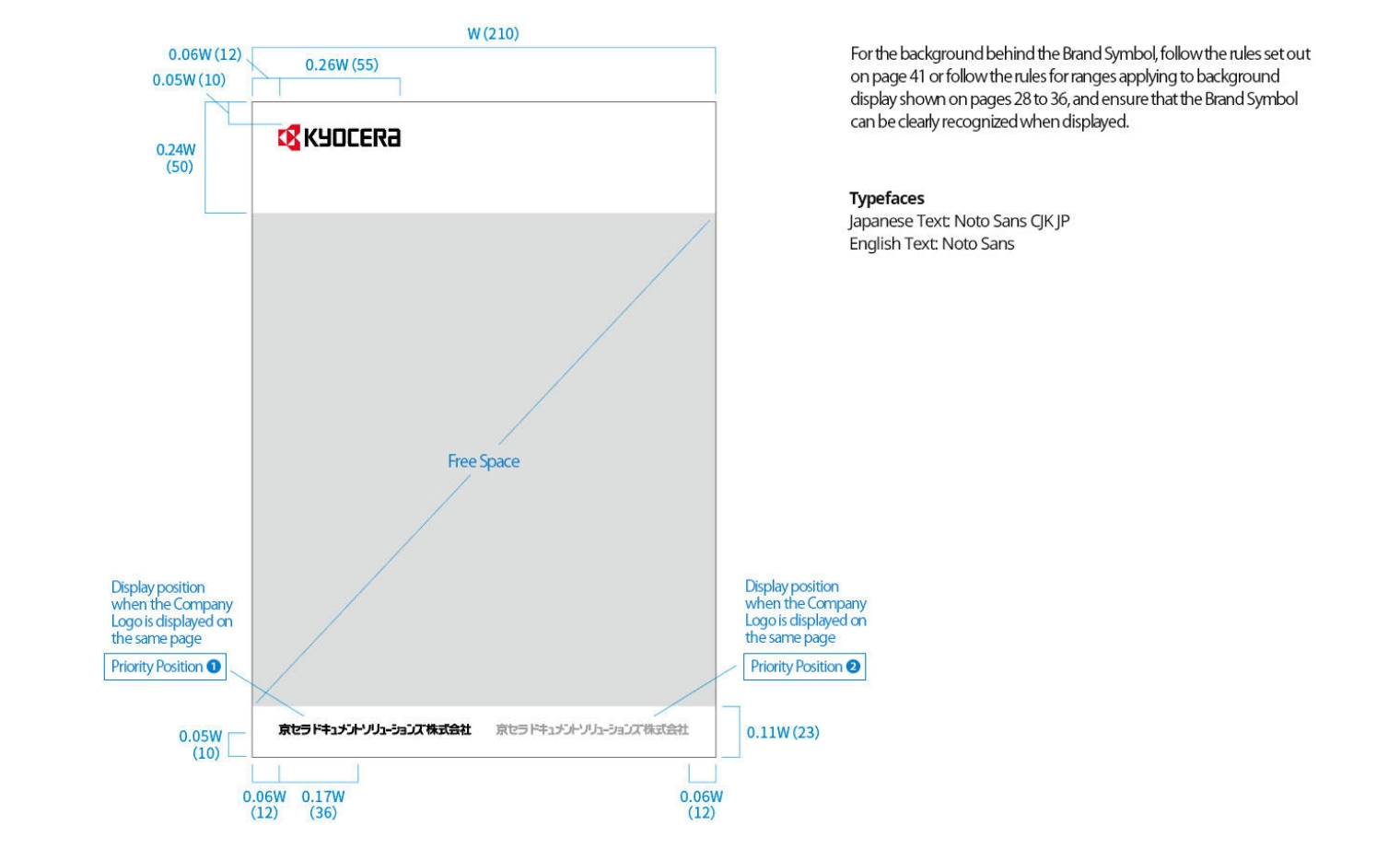
When displaying the company name logo, always place it in Priority Position (1) to ensure consistency across publications.
If it cannot be placed in this position due to the background or other factors, place it in Priority Position (2).
Company/Office Profile Brochures
(Back Covers ‒ Page 4) for Group Companies
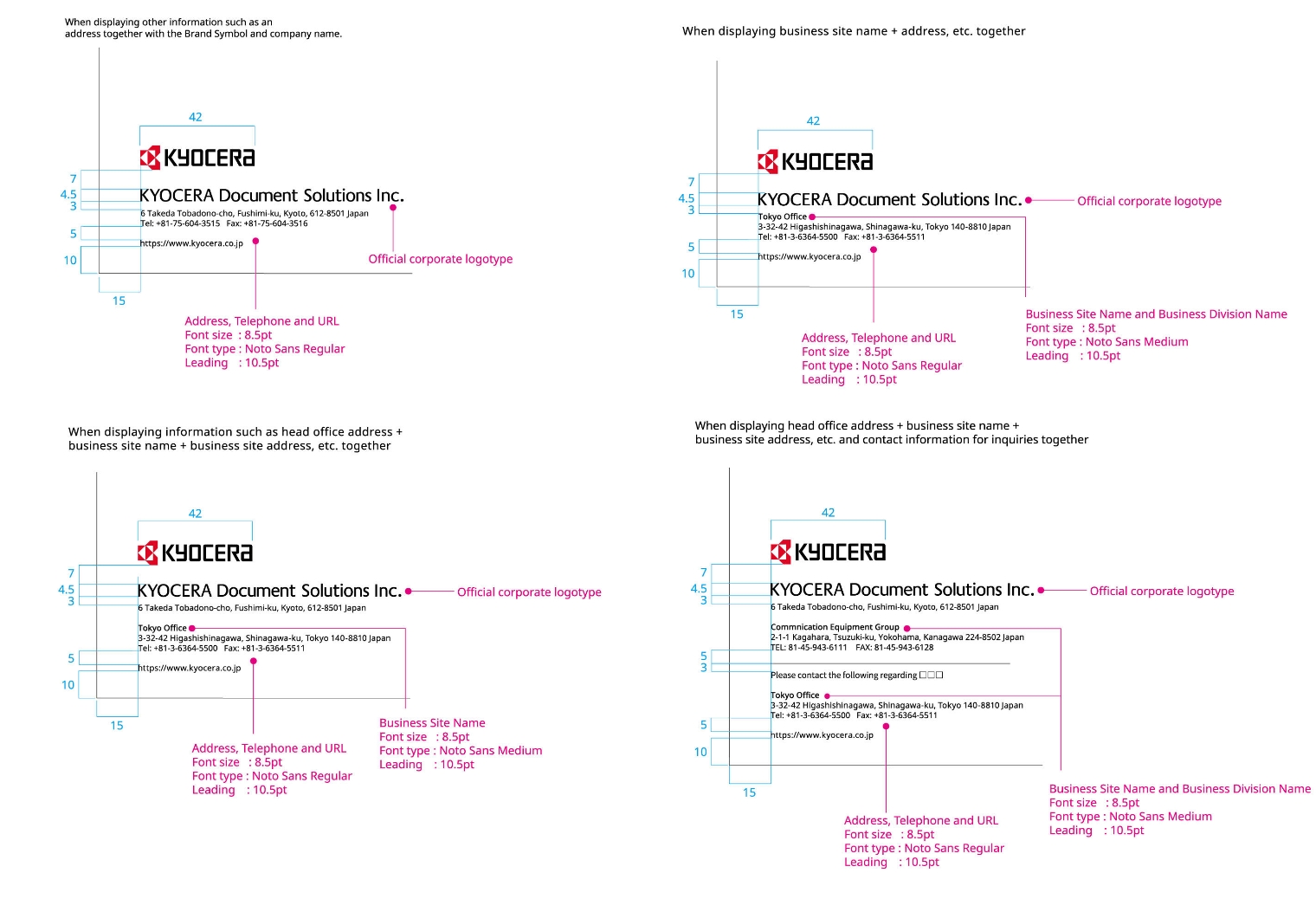
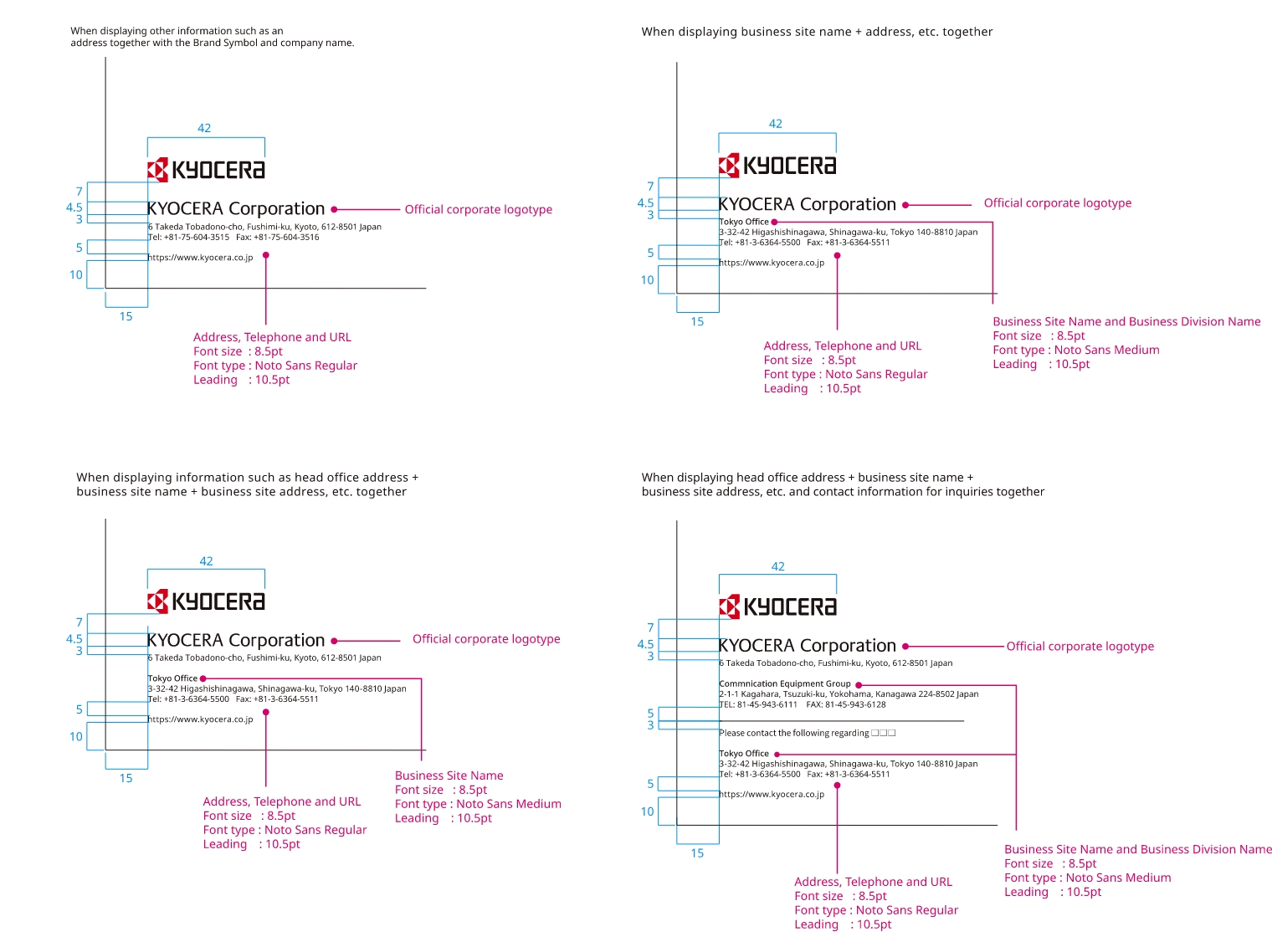
Place all information such as the brand symbol, company name logo, and address in the lower left.
Display Guidelines
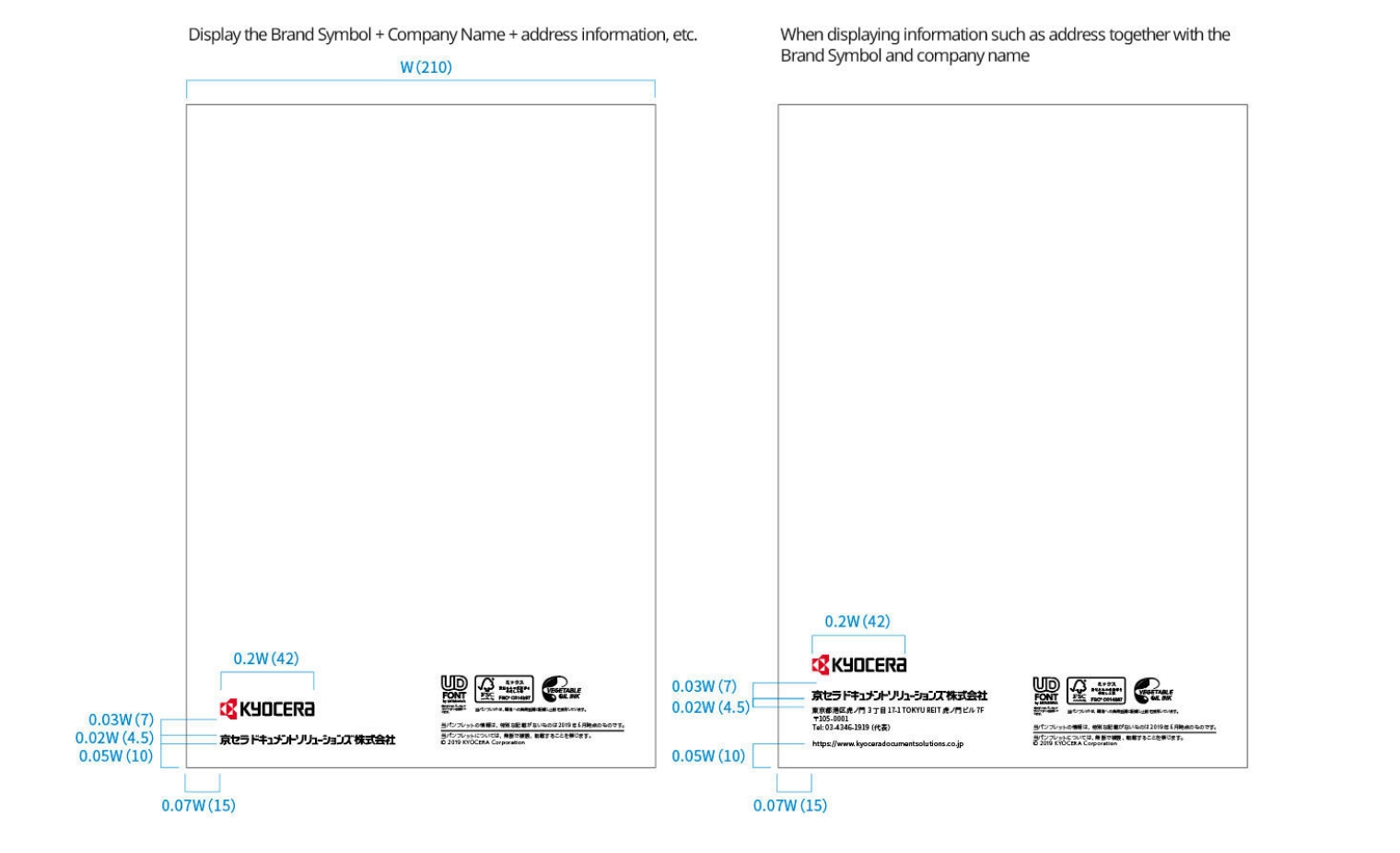
Please follow the specifications below.
Display Guidelines(for A4 size: H297 × W210 mm)
Please use the following as a guideline for the company name display area on page 4 (back cover).